Showing posts with label tricks zip/rar. Show all posts

Play RAR Movie without Codecs and without Extracting

|0 comments
People like downloading movies and video files from internet, and those large files may be splitted in several parts before being uploaded to the net. If you have downloaded movies from Rapidshare then you must have known that how troublesome is downloading those RAR video files and extract them later.
Sometimes it happens that the downloaded RAR archive is corrupt and then you  have to download the same part from some another site. But this is very irritating part because you have already wasted time and your bandwidth behind downloading the same file.

Download a tool called “Dziobas Rar Player” that can play various internet downloaded movies with codecs like Divx or Xvid even without extracting the RAR files. The player is capable of playing files in formats AVI, MPGE, RMVB, OGG, MP3, RAR, MKV, MKA and some others.
Just download this great tool from the download link which is provided at the end of article and extract and run the DziobasPlayer.exe, You can then drag and drop the RAR files in the window and see the videos even without extracting them.


Features of Dziobas RAR Player:
  • Small and free.
  • Play videos without the need to install codecs in the system.
  • Play the movie RAR files even without extracting them.
  • Also plays the corrupted RAR archive.
  • Requires no installation.
The only disadvantage is that you will not be able to seek videos in RAR format. But, overall this is great tool.


We have tested it in Windows 8 and worked perfect.


Download Dziobas RAR Player

Best Compression Software for free

|0 comments

Best Compression Software for free
WinRAR - WinRAR is the best free compression software for windows pc. It comes for free for 40 days but after 40 days also you can use it for free by just clicking on close button. It supports maximum good formats like : RAR, ZIP, CAB, ARJ, LZH, ACE, TAR, GZip, UUE, ISO, BZIP2, Z and 7-Zip file formats. WinRAR uses 128 bit password encryption and authenticated signature technology.WinRAR automatically recognises and selects the best compression method for file and folders. WinRAR supports password encryption also. WinRAR can break big files into small pieces, which is easier to transfer from one place to another. WinRAR comes for 32 bit as well as 64 bit version also.
7-zip - 7-zip is other good program for compres files and folders. The free 7-Zip unpacks a host of archive formats, including ZIP, TAR, GZ, and its own 7z format. Unlike WinZip, though, it can create TAR and GZ archives, which are commonly used on Unix and Linux systems. The program's ability to shrink files is stunning. 7z archives file and folders up to 40 percent smaller then their ZIP equivalents, although compression did take longer, and the highest compression settings can hog system resources. Advanced options include the ability to create solid and self-extracting archives, and to adjust the compression level and password protection. 7-zip also comes for 32 bit as well as 64 bit version.
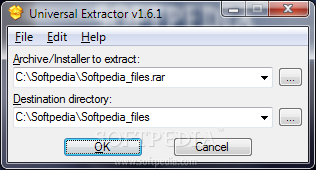
Universal Extractor - Universal Extractor is another good compression utility which comes for free to use. During setup, you can enable Explorer context menu integration, such as Add UniExtract Files, Add UniExtract Here, and Add UniExtract to Subdir.
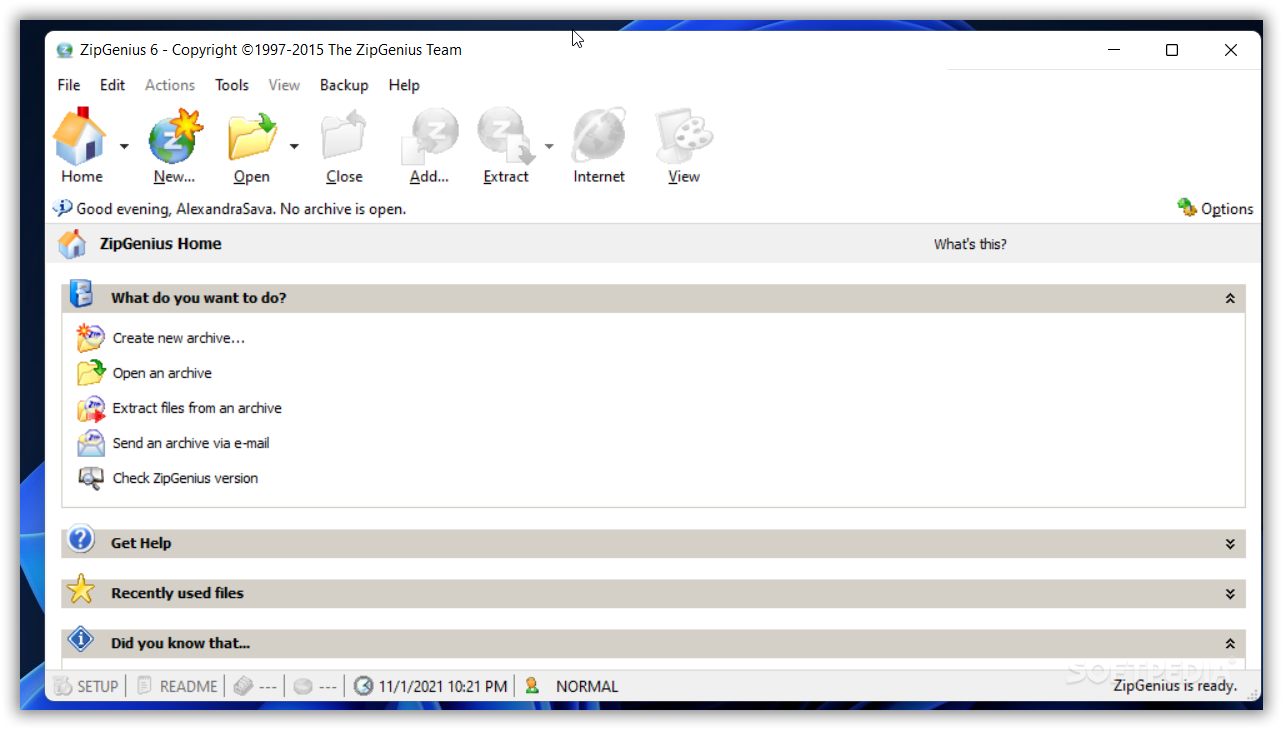
ZipZenious - ZipZenious is a very good for archiving. Its interface is extremely user-friendly, and completely different from what we already know. The menu looks as if the software is actually integrated into Windows. When you choose to extract an archive, you can select all files, only selected files, or only files with a certain format. In Options you can set ZipGenius to ask before overwriting on existing files, as well as open the destination folder once the operation is a success. ZipGenius is pretty fast, in comparison with other compression tools, but sometimes it takes a little while to perform a task. Also, CPU and memory usage is pretty high most of the times when using ZipZenious.
WinUHA - WinUHA is another free compression tool. It can create, extract and test archive also.

How to View Online files In ZIP, RAR and ISO Without Downloading

|0 comments

How to View Online files In ZIP, RAR and ISO Without Downloading
       Check what is INSIDE a ZIP, RAR, ISO Folder before Downloading easily  is a great idea (Use Archive Files Online).

        Every Time when we are going to download any zip and Rar files,there is fear in our mind whether download is Right or Fake. So when we download files such as zipped documents, graphic icons pack, software pack, blogger themes pack, plug-ins and even music pack, Games Pack, movies parts inside all the Rar/zipped files which are all piled up into one big size file and you can'€™t see them until they are downloaded to your Laptop or PC.
firefoxaddon How to View Online files In ZIP, RAR and ISO Without Downloading
But now no problem, i am going to share this Firefox Add-ons plug-in with you. You can now check whether there is anything there at all to download the only file you need or not.
firefoxaddonpic How to View Online files In ZIP, RAR and ISO Without Downloading
ArchView 0.7.1 can open archive file online without downloading the whole archive. Just like normal web pages. It is very fast since it merely fetches a small portion of the archive file from server. ArchView supports RAR (WinRaR), ZIP formats and ISO CD image; HTTP, FTP and file: protocols. And it can present XUL or HTML interface.

One great advantage feature of this add-ons Plugl-in is that you can choose to download any specific file instead of the whole bulky archieve file.

Download Archview FireFox Add-on :
Share