Showing posts with label tricks alexa. Show all posts

how to improve alexa ranking for free more than 20 percentage

|0 comments

What is Alexa Ranking - Alexa is website measurement service. Alexa is a company founded in 1996 with a goal to make a connection between web users and websites. Using its famous toolbar and further estimation, Alexa created a way to measure website traffic, reach, page views and other factors by visitors, by country. Alexa ranking is known world wide and webmasters use it to estimate other websites as well as their own website also. The higher your website alexa rank will be, people will get more attracted on your website.


Improving your Alexa ranking will boost your traffic in other search engines too. You can improve your ranking in alexa using a free trick. First you make sure from which computer you are updating your website put alexa toolbar on that computer. You can  put toolbar in your computer through this link. At least write one article in your blog alexa related. But, these process will increase a ranking little more. I am going to write below article which will suddenly increase your website or blog ranking 20% at least in a day. I have experimented this in my blog now I am writing on my blog.

How to Increase Alexa Rank By More Than 20%

Want to improve your Alexa Rank by more than 20% first install widget of alexa. To install Alexa widget on your website or blog first register a account on alexa. After registering a account on alexa follow the step by step guide :

1. Login to your alexa account.
2. Go to My account.
3. Now click on Dashboard.
4. Here you will get "+Add a Site" button on the right side of the page.
5. Here click on Sign Up below Free.
6. Here you will get a text box below Website URL. You your blog or website url and click on Continue button.
7. Now you will see a windows like Claim Your Site. Here you have two options. On the left side alexa is providing a file to download and another site alexa is providing a code to put in site or blog. Copy the code provided on the right side.
8. If you are going to put into your blog then do not copy html and head tag. Without tag your alexa code will be like this : 
9. Now open a new tab in your browser and login to blogger account.
10. Go to template tab and click on Edit HTML.
11. Now clcik on Expand Widget Templates.
12. Now put your copied code between the head tag anywhere and save the template.
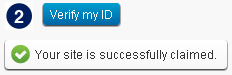
13. Now go to alexa tab in your browser. Below the code you will  find Verify my ID. Just click on Verify my ID.
14. Now you will get a message Your site is successfully claimed.
15. Now click on site tools and below the page you will find alexa site widgets or click on this link alexa site widget
16. Now below Alexa Site Stats Button put your site address and click on Build Widget.
17. Now its will create 3 types of code and 3 types of widget. Copy any code which suites to your website and put the code on your blog with the help of Layout of your blogger.

I am sure this process will increase your Alexa rank of your website. Enjoy.

How to check alexa page rank in bulk for free

|0 comments
Suppose, if someone want to check alexa ranking for some purpose of around 5000 web pages. Then, it is very difficult for that person to check rank one by one for let it be any purpose. Its will take around whole day. You can take the help of some software also, but it  comes trial version.

So, here tricks starts for free, If you want to check alexa page rank in bulk, Then you have to follow a little trick, as i am going to explain it below how to check alexa page rank in bulk for free:

First, you read How to open multiple websites at once? article then its will be very easy for you to go to next step. Without above article you can't understand this article.
              
Now, actual trick starts : 

Put, before every sites http://www.alexa.com/search?q= to whom you want to check alexa ranking. Now again question arises that if you are having around 5000 websites then its not possible to paste http://www.alexa.com/search?q= before every sites. I will show you a easy process.

First, paste all webpage in excel sheet. Suppose, he have pasted in ROW 'A'  all the sites. Now, paste code http://www.alexa.com/search?q= in ROW 'B' at top column as shown in screen shot below :


Now, in column C at the topmost i.e. in C1 type a formula =CONCATENATE(b1, a1) and press enter from keyboard. Now drag that formula upto the last. And you will find that in column before every sites your code http://www.alexa.com/search?q= has been inserted successfully. Now, copy almost 50 sites from column and paste at http://golink-directory.com/seo/openurl.php and click on GO.

Now you will find that in every tab of browser you have a sites with ranking.

If you want to copy all that tabbed page at once  then follow the below mentioned link :

How to copy open tabs in mozilla firefox at a time?


I think we have clearly explained the things. If still you have any question then you just put in comment box and reply as soon as possible. 

How to open multiple websites at once?

|0 comments
Many people visits some web pages on the daily basis. It may be some good websites, blogs or may what ever. Either he will bookmarks it or he keeps websites name separately somewhere in his computer. But, no need to open your favorites websites one by one. You can easily open all your favorite websites at one click. What to do?

Just go to http://www.golink-directory.com/ and here click on Multiple Url Opener. After clocking on Multiple Url Opener a window on open like screen shot below :
Here, Paste your all webpages that you want to open at once. Now click on GO button. Now, your all webpage will open in a separate-separate tab. Now you can visit your favorite websites one by one without any problem.


If any problem using this feature, feel free to contact via comment.
Share
